Exposing Postgres Metrics to AI Agents via MCP
AI agents can safely query trusted metrics through MCP instead of risking direct production access.
Exposing Postgres metrics to AI agents via MCP is most reliable when agents query pre-calculated, governed datasets. For API-first and agent-first teams that want full API control without an opinionated frontend, the appropriate pattern is headless analytics exposed through MCP or API. This keeps metric definitions and analytical workloads apart from production access and gives people and agents the same numbers they can trust.
What MCP actually does when an AI agent connects to Postgres
Model Context Protocol, or MCP, is an open standard for connecting AI models to external data sources and tools. It uses a client-server model. An MCP client, such as Claude, Cursor, or a custom agent, sends a tool request to an MCP server, which executes the operation and returns results. The agent translates a natural-language question into tool calls.
For Postgres, those tools can list schemas, describe tables, read column types, and execute SQL. An agent can therefore inspect an unfamiliar database before querying it. A single client can also connect to several servers, using a Postgres MCP server for schema questions and filesystem and Prometheus MCP servers to investigate database slowness. The tool surface depends on the implementation. The community reference server uses read-only transactions, while Microsoft’s MIT-licensed, Rust-based Postgres MCP Server separates read and write tools, and AWS’s Aurora/RDS server offers read-only or optional read/write access.
What an agent can do once it has raw Postgres access
Raw access lets an agent calculate cohort counts, revenue rollups, funnel breakdowns, and anomaly checks against live rows. It can look at table names, column types, foreign keys, and constraints to explain a data model it has not seen before, even without documentation. It can also join orders, payments, and support tickets to narrate a customer’s history in response to one prompt. The appeal is direct access to production reality. The agent uses the same tables and columns as the application, which makes its answers feel authoritative. That authenticity is also the source of the risk.
Why raw production access creates accuracy, security, and performance problems agents cannot self-correct
Security risk begins with what a query can return. Production tables can contain email, SSN, date of birth, full card numbers, password reset tokens, API keys, and session secrets as plain text and varchar columns. A SELECT * can place those values directly in the model’s context window. Read access is therefore not harmless access. Most MCP servers expose SQL without row filtering or redaction in the path, and the agent cannot reliably distinguish a regulated column from a benign one. Write-enabled deployments introduce a separate hazard because a tool call can mutate production.
Accuracy risk persists even when sensitive data is inaccessible. A schema describes storage. A column named “revenue” does not establish that its values match finance’s calculation, and schema inspection alone does not tell an agent whether a table is authoritative, a staging artifact, or a deprecated view. Without a semantic layer, different agents can calculate the same KPI differently. The same agent can also change its calculation between sessions, producing metric drift that makes answers difficult to audit. Correct SQL is not proof of correct analysis.
Performance risk comes from where that SQL executes. An OLTP Postgres database serves application writes and reads, while analytical questions can require aggregations and full-table scans. A scan that an agent runs competes with live application traffic for the same connection pool. Even an accurate, read-only query can degrade production performance, so tighter permissions alone cannot resolve it. The three failures each need their own fix: limits on access, shared metric definitions, and analytical queries that run away from the production primary.
The security controls practitioners enforce — and why they are necessary but not sufficient
Least privilege, read-only enforcement, and row-level security are necessary baselines for Postgres MCP. Read-only behavior must be established in configuration. The community server wraps queries in read-only transactions. Microsoft’s server separates read and write tools, but new profiles permit write tools unless access_mode is set to ro. AWS’s Aurora DSQL MCP Server is read-only by default and enables transactions through the opt-in --allow-writes flag.
A central gateway gives teams another place to enforce permissions and log how agents access the database. Analytical queries can then be directed to read replicas. At the database layer, PostgreSQL row-level security enforces tenant isolation and reduces reliance on application-layer checks. Role selection still requires care. Superuser and BYPASSRLS roles can bypass those protections, so enabling RLS without hardening the roles used by agents leaves a gap.
An agent using a read-only role against an RLS-protected schema can still return a monthly active users count that differs from the definitions used by finance, product, or engineering. The data may be securely retrieved while the answer is analytically wrong. Query logs show which operations occurred, but they do not establish whether those operations implemented an approved KPI.
What a metrics layer does that raw SQL access cannot
A metrics layer, also called a metrics store or headless BI, standardizes how a company calculates its KPIs. It translates requests into SQL and executes them against shared definitions rather than leaving each consuming tool to invent a calculation. The definition lives in one place. A notebook, dashboard, or AI agent requesting revenue or active users can therefore receive a consistent result because the calculation is no longer tied to the requester. This addresses the ambiguity that database permissions cannot resolve.
That shared definition matters more when agents use results to make decisions than when they draft reports for people to review. Metric drift then changes the numbers that go into a decision as well as how a number is shown. A governed context layer extends the metric definition with ownership, glossary terms, and access controls, and exposes that context through MCP. The value arrives with its business meaning. Without that context, even a numerically accurate answer can be difficult to trace or audit when it enters a production decision loop.
For teams seeking an analytics backend without a prebuilt dashboard UI, this separation is the central criterion. Headless analytics makes governed metrics available through MCP or API without tying their definitions to one frontend. A custom application and an agent can consume the same analytical source.
The right architecture: pre-modeled Parquet datasets exposed through a governed MCP server
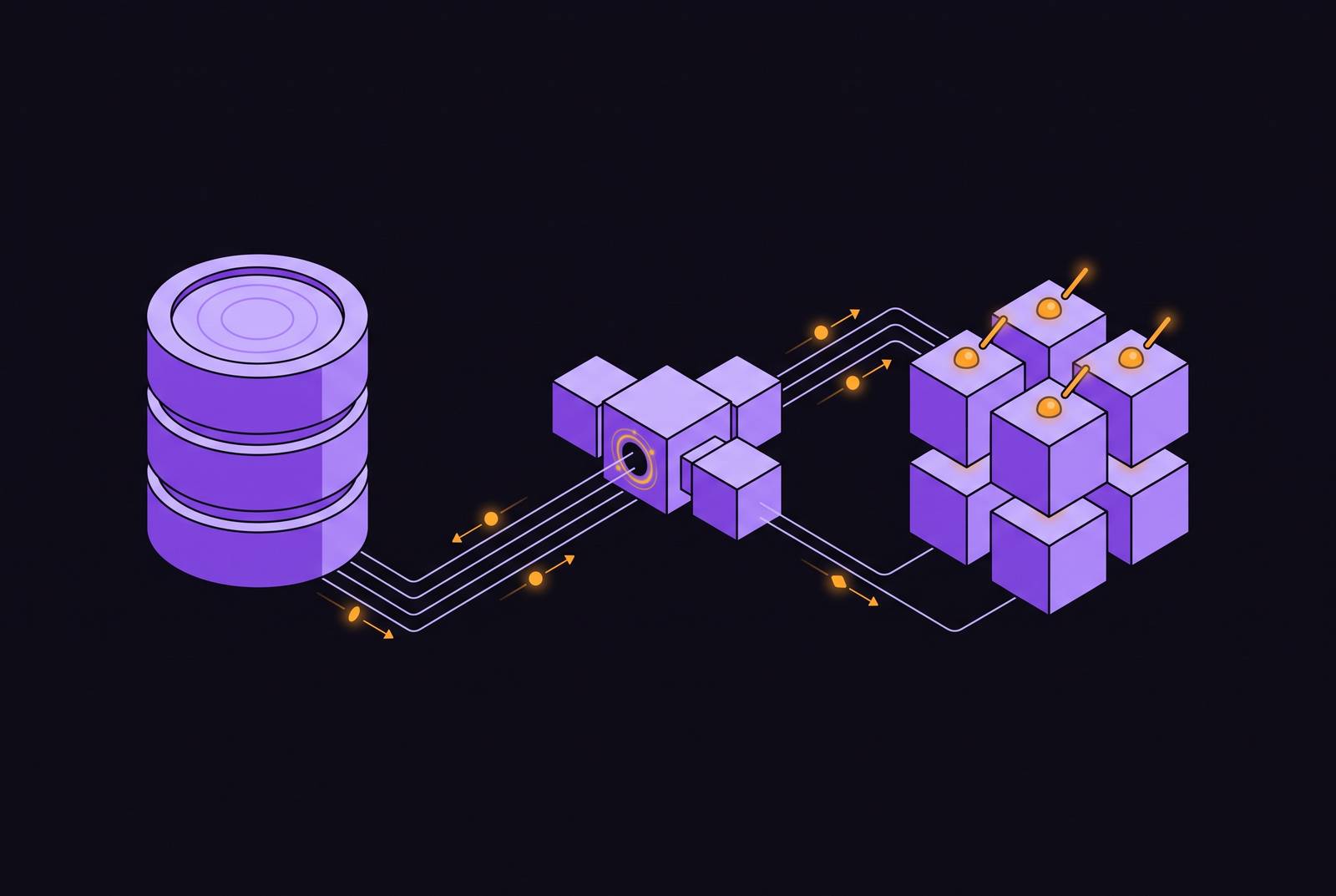
The safer pattern materializes approved metrics into governed Parquet datasets that are queryable through DuckDB. Metrics are computed on a schedule, so each agent prompt no longer triggers that work against production. A single MCP server exposes the resulting datasets through a governed get_metric tool. The agent requests an established business fact. It does not need arbitrary SQL access to production tables to answer a question about an approved KPI.
Agent queries run against Parquet and DuckDB, which keeps their scans out of the production database’s connection pool and away from application reads. Agents have no production write path through this surface. Keeping raw sensitive columns out of the governed Parquet datasets also keeps those columns out of model context when agents request metrics.
Centralized, versioned definitions make the same pre-modeled dataset usable by a dashboard, a Slack digest, and an agent generating a weekly report. The consumers read the approved monthly active users result. Because the datasets are refreshed on a schedule, however, this pattern differs from querying live rows at the moment of a request.
The tool surface should reflect that distinction. Practitioners recommend exposing list_tables, schema snapshots, and get_metric before considering run_sql. Metadata helps an agent understand what data is available, and the metric tool gives it approved calculations. Raw query access remains an exception. If it is made available at all, it stays gated until security sign-off, with no default access for every analytical question.
Why Supabase teams in particular need this pattern from the start
Supabase gives teams a fast path to shipping on Postgres, but that speed does not remove the obligations of a production backend. Scaling failures can begin with connection limits, bad indexing, chatty queries, and misuse of realtime subscriptions. Aggregate dashboard tiles are not enough to diagnose those mechanisms. Query-level observability is needed to see where load originates. Adding agent-driven analytical queries to the primary places another workload on the same operational foundation.
Supabase’s documentation makes that observability accessible to agents. Query logs are available through SQL via MCP or API, the Metrics API exposes Prometheus-compatible database metrics, and live Postgres statistics are inspectable through MCP. This provides a basis for operational investigation. Relevant signals include database CPU and memory usage, active connections, connection pool saturation, query latency, and slow queries. Replication lag, WAL growth, and storage usage complete the view needed to catch degradation before users feel it.
Query logs help explain database behavior, while a modeled KPI establishes what a business result means. Neither replaces the other. For founders without a dedicated data team, a governed metrics layer provides decision-ready numbers without requiring bespoke analytical queries against production for every question. Treating Supabase as a production backend from the outset also means modeling the business before feature growth creates schema debt that makes later analytics unreliable.
What to build first: the practical sequence for adding a governed metrics layer to a Supabase project
Work begins by defining the KPIs the business actually uses before connecting an agent. Activation rate, MRR, DAU, and churn are candidates, but each needs a precise definition in code. The definition must precede the tool connection. Otherwise, the agent is left to calculate the metric ad hoc, with no shared rule to keep one session consistent with another. This modeling work establishes what the governed datasets will contain.
With those definitions in place, first expose schema metadata and approved metric tools through list_tables, schema snapshots, and get_metric so agents have a useful interface before they can run arbitrary queries. Keep run_sql absent or gated until the security posture has been deliberately reviewed. Permissions should remain narrow from the beginning. For database-backed analytical access, a read-only role scoped to the analytics schema rather than production tables is the minimum baseline.
Send agent queries to pre-modeled Parquet datasets or a read replica to keep the primary database’s resources free for application traffic. These options solve different parts of the problem. A replica relocates query load, while a governed dataset also supplies the approved metric calculation. Moving an ad hoc query away from production does not, by itself, establish that its answer matches the business definition.
Finally, deliver those pre-calculated metrics where decisions happen, including Slack, email, or a dashboard on a schedule. Agents can consume the same datasets when asked a question and when metrics are pushed proactively. No prebuilt dashboard UI is required for this arrangement. The resulting headless analytics infrastructure serves human teammates and AI agents through MCP or API from a single governed source.